
Switch Access, Eye Tracking and Voice Control: How Each Works and Where It Fits
Many disabled people with limited mobility face barriers to computer use due to universal mouse and keyboard assumptions. Switch access, eye tracking, and voice control offer specialized pathways, enabling interaction through minimal movement or voice.
Introduction: Bridging the Digital Divide for Limited Mobility
For many disabled people with limited mobility, the true barrier to computer use isn't the technology itself, but the prevailing assumption that mouse and keyboard inputs are universal. This overlooks the many people for whom a standard mouse and keyboard are not an option. Switch access, eye tracking, and voice control offer specialized pathways, allowing individuals to interact with digital environments through minimal physical movement, gaze direction, or spoken commands. These tools enable complex tasks, from writing emails in Outlook to designing presentations in PowerPoint, effectively bridging the gap where traditional peripherals fail.
The challenge for many Canadians isn't just the lack of access, but often a lack of understanding regarding how these diverse assistive technologies truly integrate into daily life. Traditional computer interfaces, designed for fine motor control, inadvertently create a digital divide that restricts access to essential services, employment, and social connection for individuals with severe physical disabilities. Specialized tools are not mere conveniences; they are critical enablers for communication, education, and employment, fostering a fuller, more integrated life within the digital sphere.
Instead of viewing these technologies as isolated solutions, we must recognize how they work together. A disabled person with limited hand mobility might combine a single switch for selection with eye tracking for navigation, then use voice control for text input, creating an effective, personalized workflow. This article will illustrate precisely how these combinations address specific challenges, making abilities accessible and supporting independence for those who rely on assistive technology to use computers.
Understanding Switch Access: Simple Inputs, Powerful Control
Understanding Switch Access: Simple Inputs, Powerful Control
Many people assume computer control requires complex hand movements, but switch access technology overturns this idea. It enables interaction through minimal, specific physical actions, offering a fundamental pathway to digital engagement for individuals with severe motor impairments. This method addresses a common user pain point: difficulty understanding how different assistive technologies work.
Switch access devices respond to a single, often subtle, movement. These can range from a simple button pressed by a hand or foot, to a sip-and-puff switch activated by breath, or even a proximity sensor detecting a slight head tilt. For instance, a student in a British Columbia elementary school might use a large, red button switch positioned near their knee to select items on an interactive whiteboard. Each device is chosen based on an individual's residual mobility, ensuring the most reliable and least fatiguing input.
The core mechanism of switch access often involves "scanning." The computer systematically highlights options on screen, letters, icons, menu items, and the user activates their switch when the desired option is highlighted. This precise timing allows individuals to navigate complex interfaces with a single, consistent action. A disabled person in Montreal, for example, might use a single switch to type an email, waiting for the correct letter to be highlighted before activating their switch to select it.
Understanding what is switch access technology and how it works reveals its versatility. It transforms complex computer interactions into manageable, single-action inputs, allowing users to perform tasks from composing documents to engaging in online social activities. This foundational control can also be the first step for disabled people with limited mobility to combine switch access, eye tracking, and voice control for even richer digital experiences.
Eye Tracking Technology: Navigating with a Gaze
Eye tracking technology offers a direct, intuitive pathway to computer control for disabled people who cannot use their hands. Instead of a mouse or keyboard, users navigate their screens with only their gaze, transforming eye movements into precise digital commands. Specialized cameras, often mounted below the monitor, monitor the user's pupils and translate their focus points into cursor movement. A user might "click" by holding their gaze on an icon for a predetermined dwell time, typically 0.5 to 2 seconds, or by performing a deliberate blink.
This method is crucial for individuals with significant motor impairments, such as those living with Amyotrophic Lateral Sclerosis (ALS) or high-level spinal cord injuries. For instance, people with motor impairments can use an eye tracker to manipulate intricate design software, selecting tools and adjusting parameters with their eyes. This allows them to continue professional work and maintain independence and creative output. The technology enables tasks from typing emails in Microsoft Outlook to browsing online articles, making digital interaction accessible without physical input.
For new users, understanding the calibration process is key. This initial setup, where the system learns to map individual eye movements to screen coordinates, can be frustratingly complex and time-consuming. However, accurate calibration is essential for reliable performance. Despite its useful capabilities, a significant hurdle remains cost. Advanced eye-tracking systems can be expensive. This financial barrier limits access for many who could benefit from this important tool, highlighting a gap in equitable access to the technologies that facilitate Switch access, eye tracking and voice control: how disabled people with limited mobility use computers.
Voice Control: Commanding Your Computer with Your Voice
Voice Control: Commanding Your Computer with Your Voice
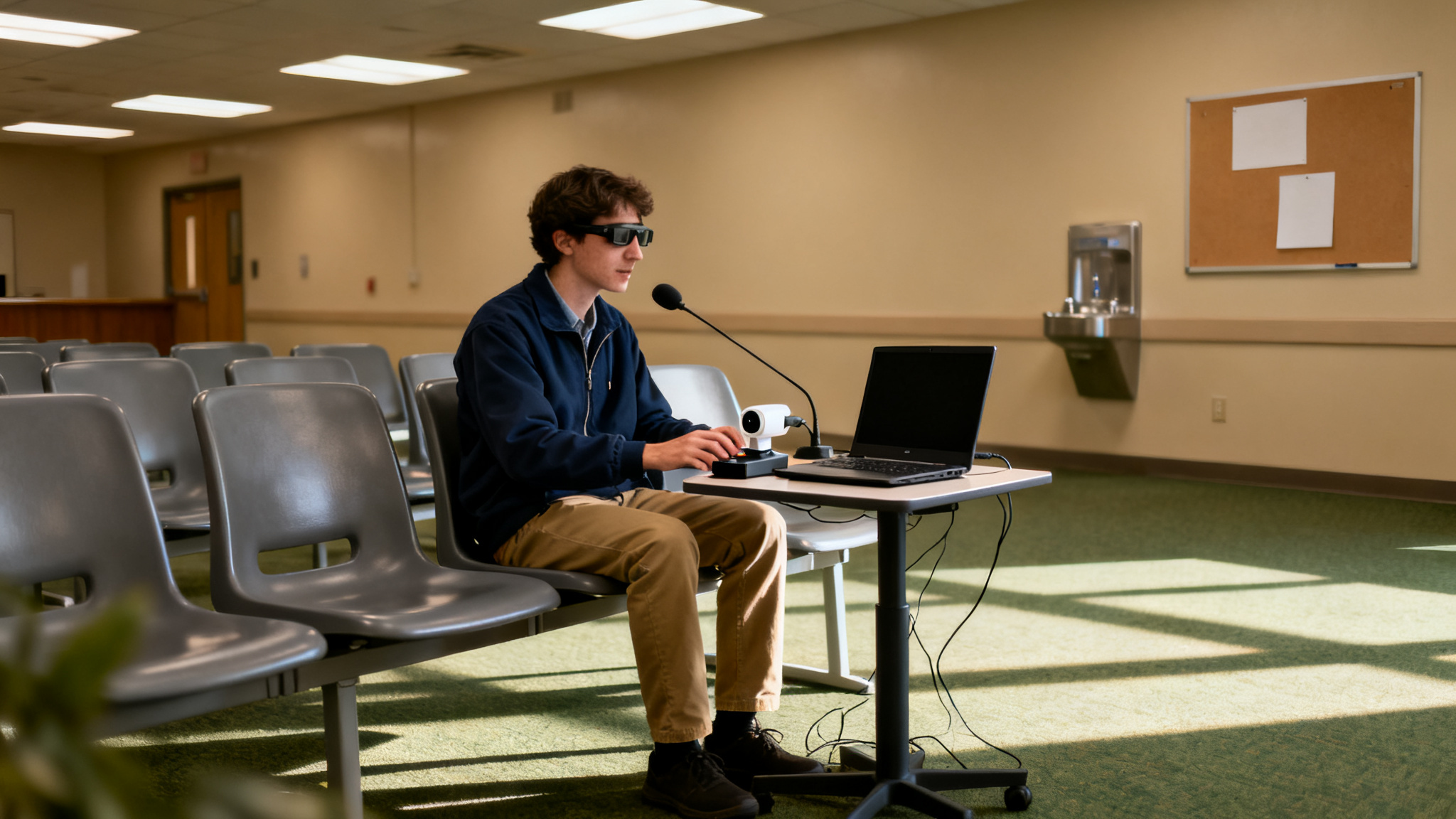
Voice control software offers a surprising degree of autonomy, often overlooked in discussions about assistive technology. While many focus on specialized hardware, robust voice command systems are frequently built directly into common operating systems, providing a powerful, accessible interface without additional purchases. These systems convert spoken words into text or direct computer commands, effectively eliminating the need for manual input devices for a wide array of tasks.
For someone like a content creator with limited hand mobility in Ottawa, voice control transforms their workflow. They can dictate entire articles using software like Dragon Professional on Windows or the built-in Voice Control on macOS, launching applications, navigating web pages, and managing email, all through spoken commands. This addresses a significant pain point: the lack of awareness about the full range of available assistive technologies, showcasing a widely accessible and often integrated solution that doesn't always require specialized equipment.
Despite its benefits, voice control presents its own set of considerations. Accuracy remains a concern, especially with accents or background noise, requiring users to adapt their speech or train the software extensively. A senior kindergarten teacher in Halifax, for instance, might find vocal fatigue an issue during an eight-hour workday if relying solely on voice input. Furthermore, the learning curve for mastering complex command structures can be steep, requiring patience and consistent practice. When considering Switch access, eye tracking and voice control: how disabled people with limited mobility use computers, voice control often serves as a primary input method, but its effectiveness is amplified when integrated with other tools, compensating for its inherent limitations.
Beyond the Basics: Combining Technologies for Smooth Interaction
The true power of assistive technology for disabled people with limited mobility often emerges when different input methods combine, rather than operating in isolation. This integrated approach allows individuals to create highly customized, efficient systems that directly address their unique physical capabilities and daily computing needs. For instance, a quadriplegic user in Alberta might combine eye tracking for broad navigation with a precise sip-and-puff switch for definitive clicks, enhancing both speed and accuracy.
| Technology Combination | Best Suited For | Key Advantages | Potential Challenges |
|---|---|---|---|
| Eye Tracking + Voice Control | Extensive text input, web browsing, creative tasks requiring fluid navigation. | Hands-free operation, high speed for dictation, natural navigation with gaze. | Vocal fatigue during long sessions, precise calibration needs, higher initial cost for advanced systems. |
| Switch Access + Voice Control | Users with limited head/eye movement needing precise clicks or selections combined with command execution and dictation. | High precision for specific actions, robust for varied environments, less susceptible to background noise than voice-only. | Slower navigation compared to gaze, requires consistent physical input, potential for repetitive strain. |
| Eye Tracking + Switch Access | General navigation with gaze, combined with specific, deliberate actions like drag-and-drop or double-clicks via a switch. | Combines the speed of gaze-based navigation with the certainty and deliberateness of a physical click. | Learning curve for coordinating inputs, potential for eye strain during prolonged use, requires consistent switch placement. |
| All Three: Eye Tracking + Switch Access + Voice Control | Complex professional tasks, highly dynamic environments, users requiring maximum flexibility and redundancy. | Offers the most comprehensive control, redundancy in input methods, adaptable to changing user fatigue levels. | Significant learning curve, complex setup and customization, potential for input conflicts if not configured meticulously. |
This integrated strategy, where switch access, eye tracking and voice control are used in concert, demonstrates how disabled people with limited mobility use computers not just to access information, but to genuinely participate in digital life. The goal is to build a personalized input ecosystem that adapts to the individual, not the other way around, enhancing daily productivity for tasks from email to graphic design.
How Assistive Tech Supports Daily Life
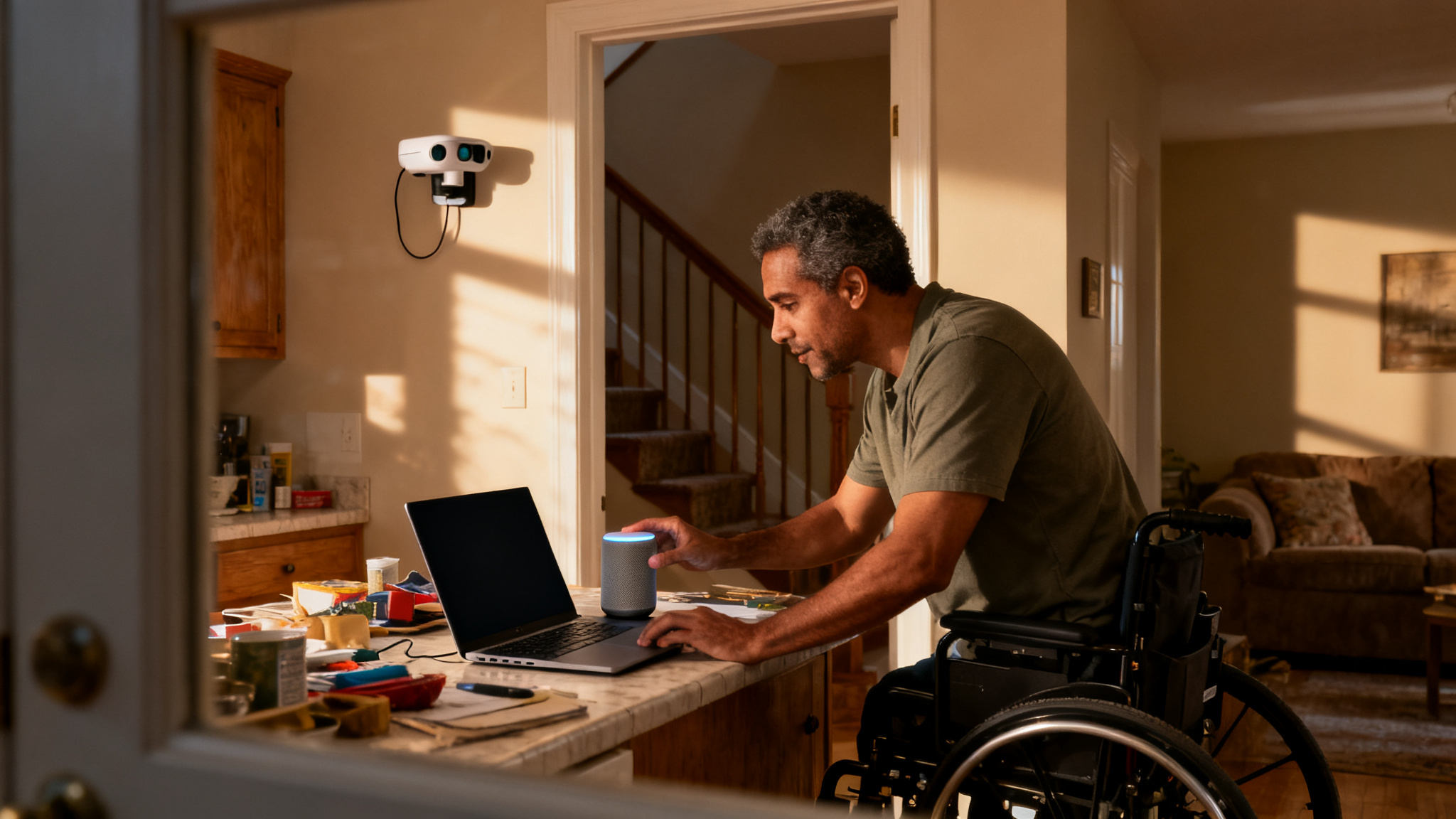
Many disabled Canadians face a common frustration: understanding how diverse assistive technologies truly integrate into a cohesive workflow. It is one thing to know that switch access, eye tracking, and voice control exist, but another to see them in action. These 'day in the life' stories bridge that gap, illustrating how people with limited mobility combine these tools to achieve daily tasks, from creative work to social interaction.
People with severe spinal muscular atrophy may use a Tobii Dynavox eye-tracking system for precise cursor control within Adobe Photoshop and Illustrator, manipulating intricate design elements with their gaze. For file management, client communication via email, and launching applications, they might use Dragon Professional voice control. Such personalized setups allow people to maintain professional careers, managing physical barriers that might otherwise prevent such work. Similarly, individuals who are quadriplegic might use a sip-and-puff switch to navigate operating system menus and switch between applications. Once in an IDE, they could dictate complex code and manage version control using voice commands. This demonstrates how people with severe physical disabilities use computers for professional careers and complex tasks.
People with limited mobility often use a combination of a single foot switch for scrolling through web pages and selecting links, paired with voice control for composing social media posts and participating in online learning forums. This blend of inputs helps maintain social connections and participation, avoiding the pain and fatigue that traditional mouse and keyboard use would cause. These examples show how people manage challenges by finding personalized combinations that fit their unique needs and routines, making the concept of assistive technology practical. They demonstrate how switch access, eye tracking and voice control: how disabled people with limited mobility use computers in practical ways.
User-centred design is critical, and understanding the daily realities of disabled people is important. While the technology itself is impressive, its true value emerges when it integrates well into people's lives, allowing tasks that might otherwise be difficult or impossible. Next, we will explore the challenges and considerations that arise when implementing these tools, focusing on the human element.
Challenges and Considerations: The Human Element of Assistive Tech
While assistive technologies like switch access, eye tracking, and voice control offer significant independence, their implementation has challenges. Users and their support networks often encounter significant learning curves and ongoing adjustments.
Achieving Outcomes
- Enhanced Independence: Disabled people gain direct control over their digital lives, from communication to professional tasks, reducing reliance on others.
- Increased Productivity: Individuals can perform tasks previously inaccessible, improving employment prospects and daily efficiency.
- Broader Communication: Text-to-speech and direct computer interaction facilitate richer social connections and self-expression.
- Customized Solutions: Technologies adapt to individual needs, offering personalized control methods for diverse mobility challenges.
Practical Challenges
- Steep Learning Curve: Mastering complex systems, particularly for combining switch access, eye tracking and voice control, demands time and patience, often requiring specialized training.
- Physical and Vocal Fatigue: Prolonged eye tracking can lead to strain, while extensive voice command use may cause vocal fatigue, impacting sustained use.
- Significant Financial Barriers: Advanced eye-tracking systems can cost thousands of dollars, creating accessibility gaps despite the significant size of the global assistive technology market.
- Customization Complexity: Optimal performance requires extensive setup and ongoing calibration, which can be overwhelming for users and caregivers in provinces like Alberta or Nova Scotia.
The journey with assistive technology is highly individualized, balancing the immense benefits of digital access against the practicalities of implementation. Addressing these challenges through better support, financial aid, and user-centered design is crucial for truly inclusive digital environments.
Choosing the Right Path: A Guide for Users and Caregivers
Choosing the right assistive technology is not a one-size-fits-all process; it demands a personalized approach that accounts for individual capabilities and goals. Many disabled people with limited mobility find frustration in the complexity of setup and customization, but a structured path can simplify the journey.
Assess Specific Needs
Begin by mapping out the user’s exact mobility limitations, cognitive strengths, and the daily tasks they aim to accomplish. For instance, a university student in Vancouver needing to write essays might prioritize efficient text input, while a senior in Calgary wanting to video call family might focus on simple navigation. This clarifies whether Tobii Dynavox eye-tracking, a single Jelly Bean switch, or a voice control system like Dragon Professional is the primary need.
Research and Trial Technologies
Explore the full spectrum of available assistive technologies. Opportunities for hands-on trials are crucial. In Ontario, clinics registered with the Assistive Devices Program can assess a person's needs and recommend switch, eye-gaze and other access devices before funding is approved. This direct experience helps determine compatibility and personal preference, reducing the risk of investing in unsuitable equipment.
Seek Professional Guidance
Consulting with occupational therapists or assistive technology specialists is invaluable. These professionals can conduct expert assessments, recommend tailored solutions, and provide insights into integrating various tools. An occupational therapist in Manitoba, for example, might suggest combining a head-tracking mouse with voice commands for a client with limited hand function, optimizing their ability to perform tasks like online banking or email management.
Consider Funding and Support
The perceived high cost of specialized devices can be a significant barrier. Investigate funding avenues such as provincial programs (e.g., Ontario's Assistive Devices Program), private insurance, and non-profit organizations like March of Dimes Canada. For a high school student in Quebec, a grant might cover an advanced eye-tracking system, which can range into thousands of dollars, making essential tools accessible.
Frequently Asked Questions About Assistive Computer Control
Many people have questions about how disabled individuals with limited mobility interact with digital devices. Understanding the practicalities of switch access, eye tracking, and voice control for daily computer use helps demystify these powerful tools.
Quick Reference: Assistive Computer Control
Switch access relies on a deliberate, physical action, like pressing a button with a foot or head, to make selections. Eye tracking, conversely, uses gaze direction to move a cursor or activate commands, requiring minimal physical effort.
Modern voice control software, such as Apple's Voice Control or Voice Access in Windows 11, has improved its ability to handle different accents and some speech differences. Training the software to a user's unique speech pattern often yields better accuracy.
These technologies are not exclusive to severe disabilities. A person with carpal tunnel syndrome, a temporary arm injury, or even someone seeking ergonomic alternatives can benefit. For instance, a graphic designer in Vancouver with repetitive strain injury might use voice control to reduce mouse clicks.
Costs vary widely. Basic features like switch control are built into iOS and Android. Specialized eye-tracking systems can range from hundreds to several thousand dollars. Ontario's Assistive Devices Program covers most of the cost of eligible communication aids, including some eye-gaze and switch devices, and private insurance may cover more.
Manufacturers provide setup guides, and organizations like the March of Dimes Canada offer assistive technology services. Occupational therapists in rehabilitation centers are key resources for personalized training and device customization.
Yes, smartphones and tablets integrate robust accessibility features. iOS offers Switch Control and Voice Control, while Android provides similar accessibility suites, making these devices highly usable for disabled people with limited mobility.
A common misconception is that using assistive technology is unfair or only for people with significant disabilities. In reality, these tools are about digital equity, providing ways for communication, education, and employment. They ensure that Canadians living with a disability can access the digital world independently.
Frequently Asked Questions
What assistive technologies help disabled people use computers?
How do people with limited mobility control a computer without a mouse or keyboard?
Can eye tracking and voice commands be used together for computer access?
Is switch access technology difficult to learn for computer users?
Why are switch access, eye tracking, and voice control important for digital inclusion?
Keep reading
All articles →
Automated Accessibility Scanners vs. Testing with Assistive Technology Users
Automated accessibility scanners are vital for a baseline, but relying solely on them misses most WCAG issues. The key is understanding their distinct roles, not choosing one over the other for full compliance.
CAPTCHA and Online Verification: Accessibility Barriers and Better Alternatives
Why CAPTCHA and similar verification steps shut out disabled people, what WCAG and Canadian accessibility law require, and verification methods that work for everyone.

Captions, Transcripts and Audio Description: What WCAG and AODA Require for Video
What WCAG 2.0 Level AA requires for captions, transcripts and audio description, and which of those requirements Ontario's AODA makes law, including its two exemptions for video.